
Delete your Bible Battle account
Bible Battle is the Bible quiz game for churches in Ghana. You can delete your account yourself from inside the app. This page shows each step, what is removed and what may be kept.
Done in the app
Profile → Account Settings → Delete my account. No email or support ticket needed.
Removed straight away
Your name, username, phone number, points, hearts and battle history are erased the moment you confirm.
Cannot be undone
Once confirmed you lose access to your account and your profile cannot be restored.
Step by step
How to delete your account in the app
Follow the four steps below. The numbered red marker on each screenshot shows exactly where to tap.
- 1
Open your profile
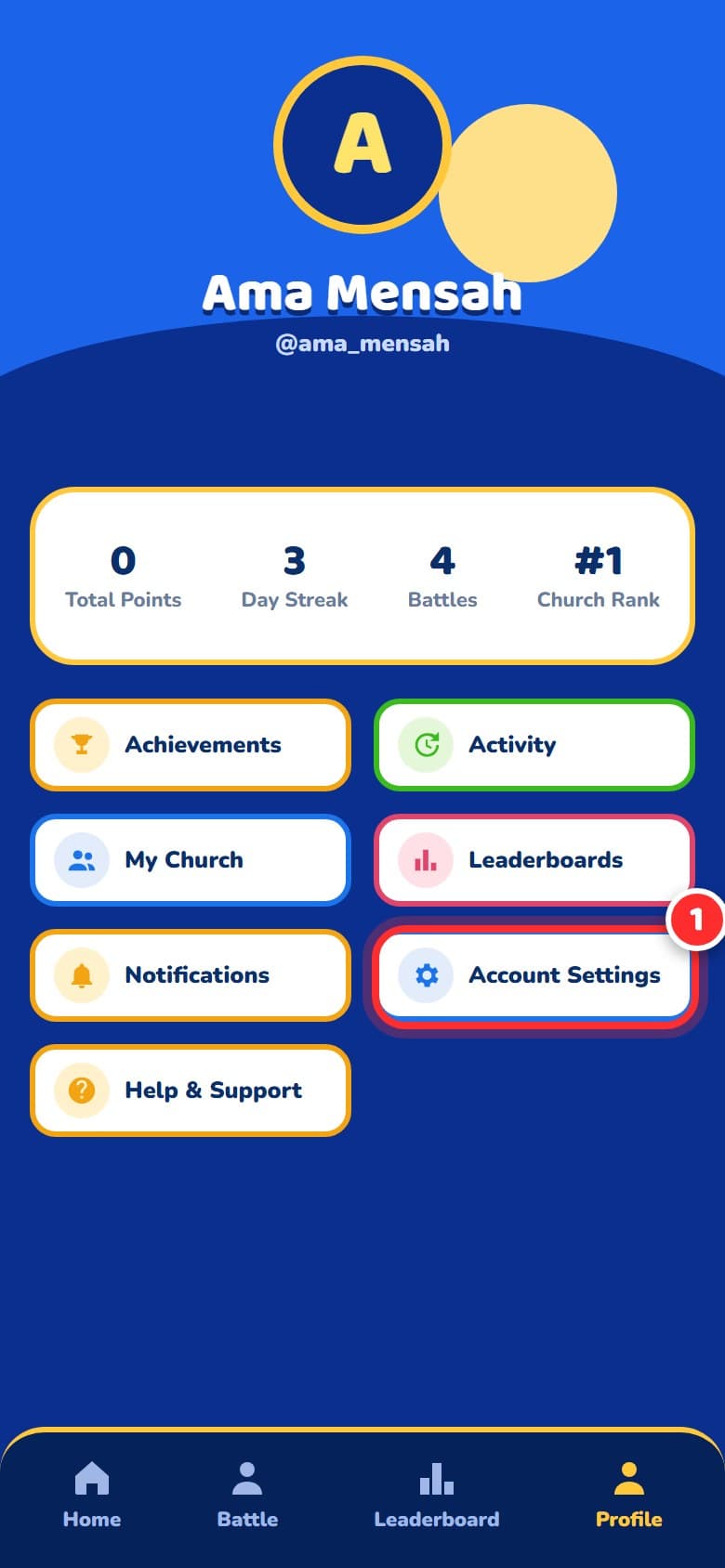
Open the Bible Battle app and tap Profile in the bottom bar. Then tap Account Settings, the blue card on the right.
- 2
Scroll to the bottom
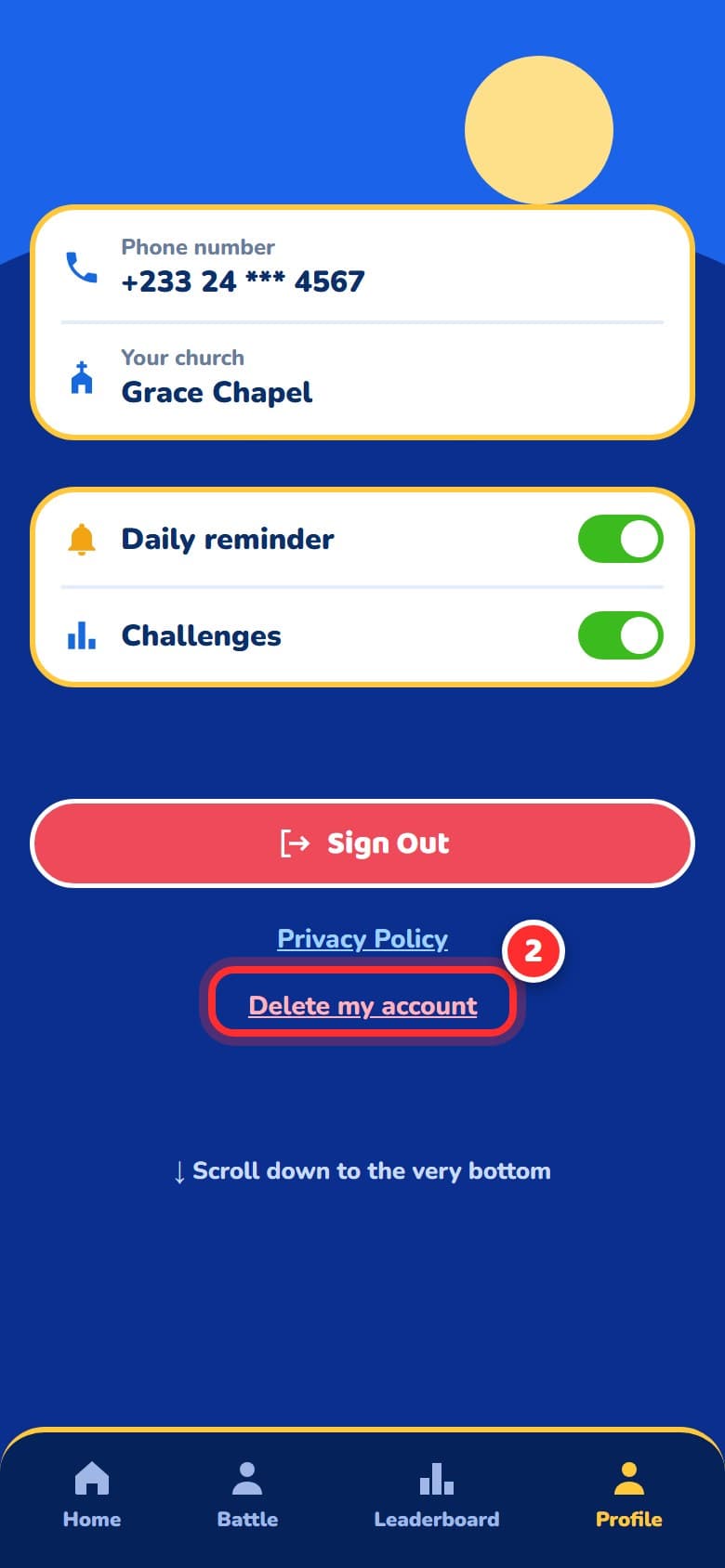
The Settings screen opens. Scroll down to the very bottom, past Sign Out and Privacy Policy, and tap the red Delete my account link.
- 3
Type DELETE to confirm
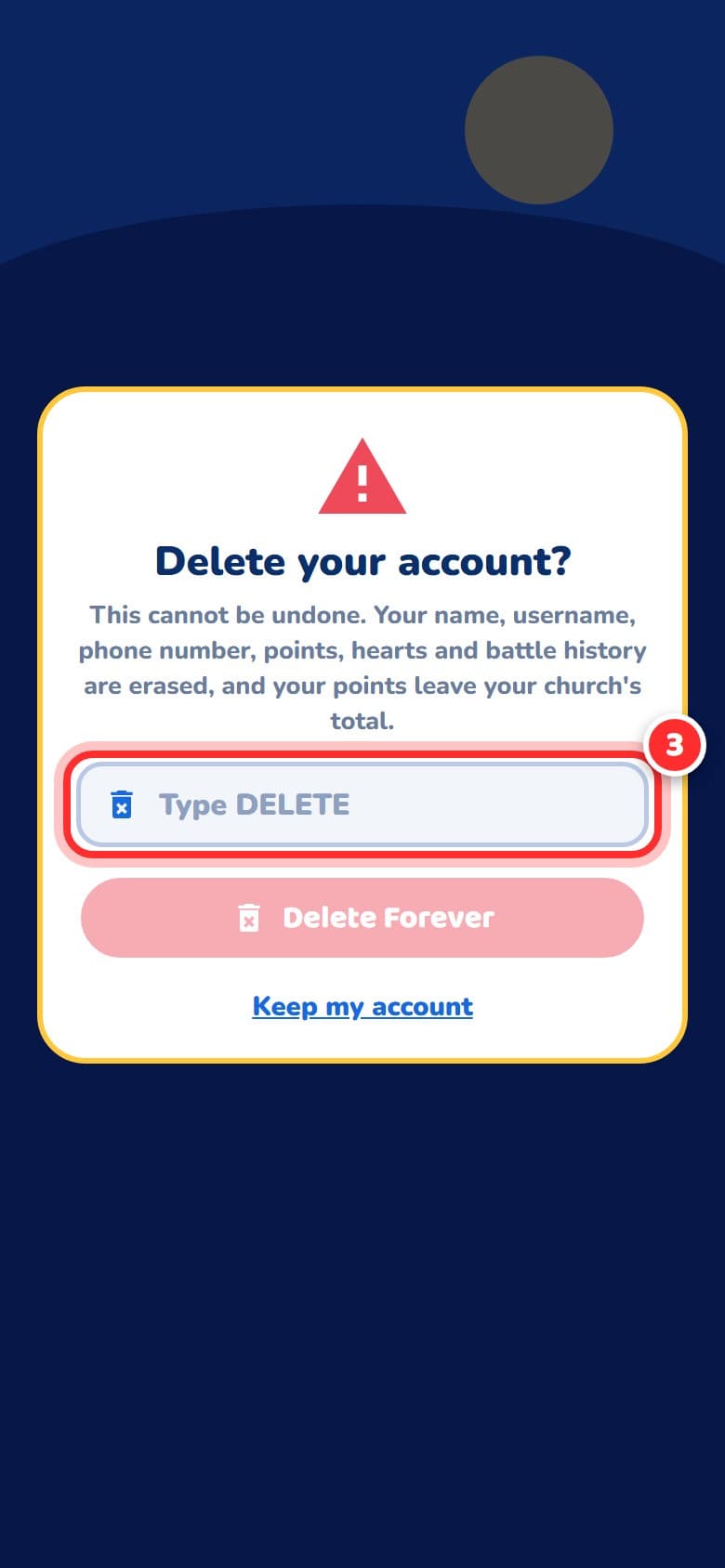
The app asks “Delete your account?” and tells you what will be erased. Type DELETE in the box. Tap Keep my account at any time to leave your account untouched.
- 4
Tap Delete Forever
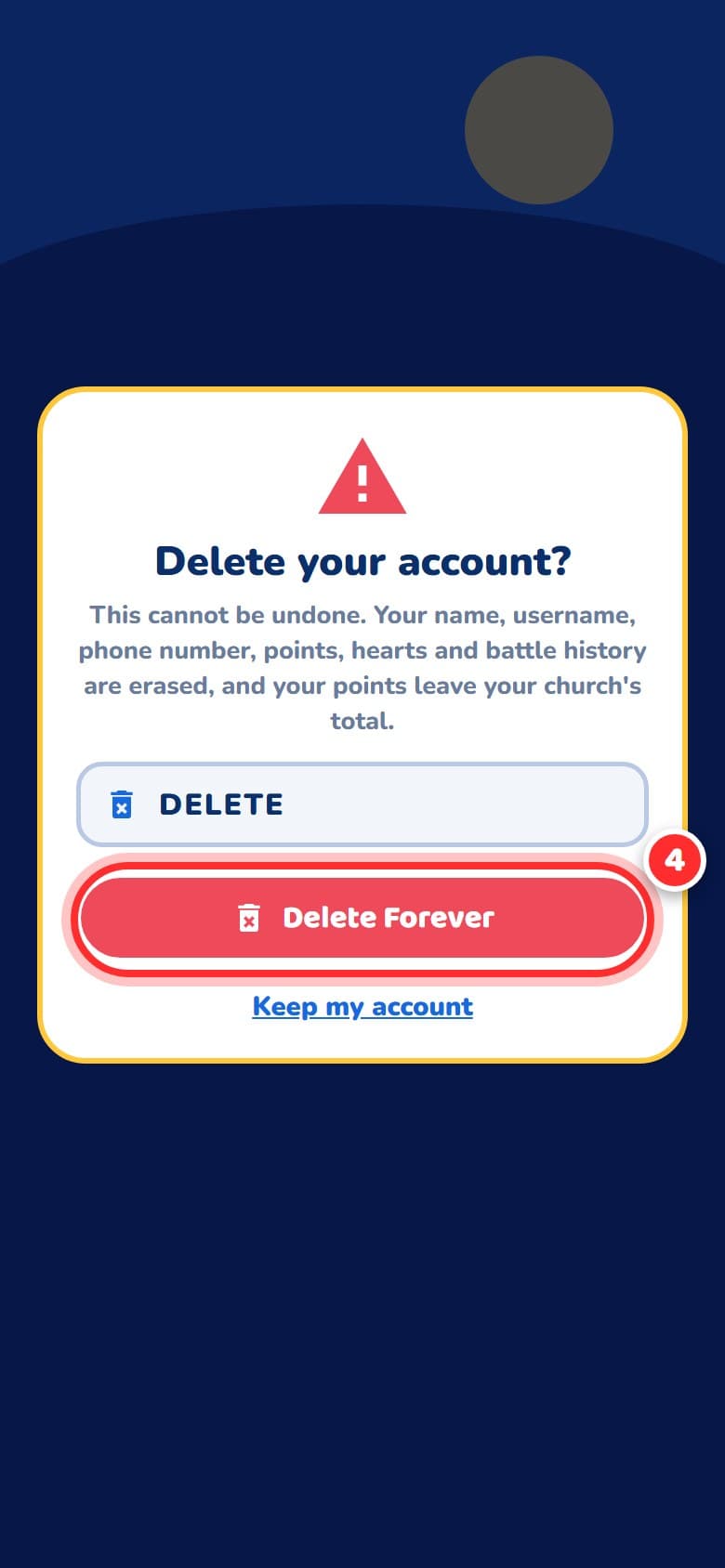
Once DELETE is typed, the Delete Forever button turns on. Tap it. You are signed out and your account is deleted straight away.
What happens to your data
Deleting your account takes effect straight away. This is what the app removes and what may be kept.
Removed when you delete
- Your name and username
- Your phone number and your login
- Your points, streak, hearts, daily plays and achievements. Your points are also taken off your church's total
- Your game history, quiz sessions and battle history
- Your push notification registrations on your devices
- Anything you reported or sent as a bug report is no longer linked to you
May be kept
- Head-to-head battles you played against another player stay in that player's history, so their results do not change. You appear there only as "A player", with no name, username or phone number
- A short anonymous record that an action took place, with your name removed, which we keep for security and fairness checks
- Backups of our database may hold your data for a short time before they are replaced in the normal cycle
You can ask us to erase the records in this list too. See the request option below.
This cannot be undone
Once your account is deleted you lose access to it and it cannot be restored. You can create a new account later with your phone number, but your old points and profile will not come back.
Cannot sign in, or want your other records erased?
If you no longer have the app or cannot sign in, email hello@brandafro.com with the subject “Delete my Bible Battle account” and the phone number on your account, and we will delete it for you. In the same email you can ask us to erase the records listed under “May be kept”, such as the anonymous record of a battle you played. Records we must keep for financial or legal reasons will be kept and we will tell you which.