
Delete your Dingo account
Dingo is a Brand Afro product. You can request deletion of your Dingo account from inside the app — no email or support ticket needed. Once you confirm in the app, your account and the data in it are permanently deleted 30 days later.
Done in the app
Profile → Settings → Delete Account. No email or support ticket needed.
Deleted after 30 days
Your request is recorded immediately, and your account is permanently deleted 30 days later.
Permanently deleted
This action cannot be undone. You will lose access to your account and all the data in it.
Step by step
How to delete your account in the app
Follow the three steps below. The screenshots show exactly which button to tap on each screen.
- 1
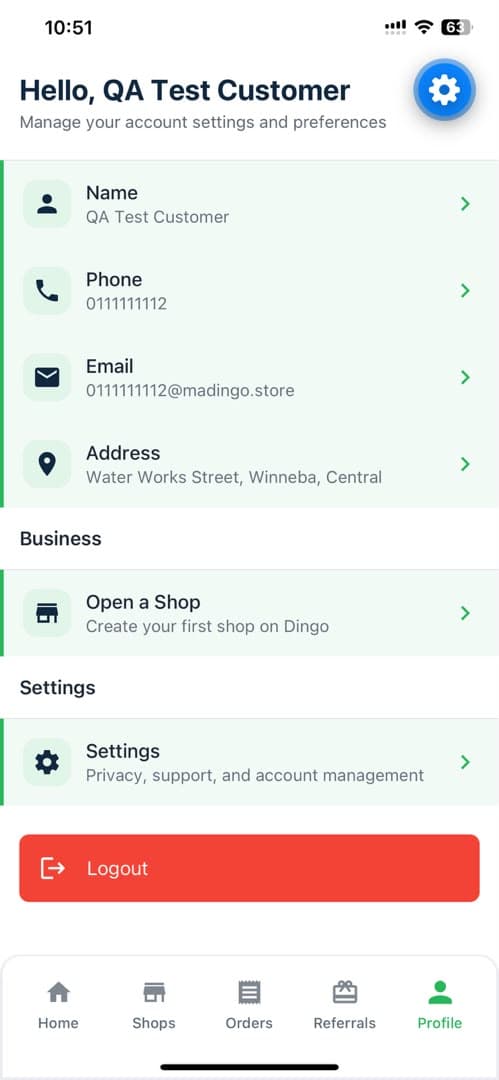
Open the Profile tab
Open the Dingo app and tap Profile in the bottom navigation bar. On the Profile screen, tap Settings — the row described as “Privacy, support, and account management”.
- 2
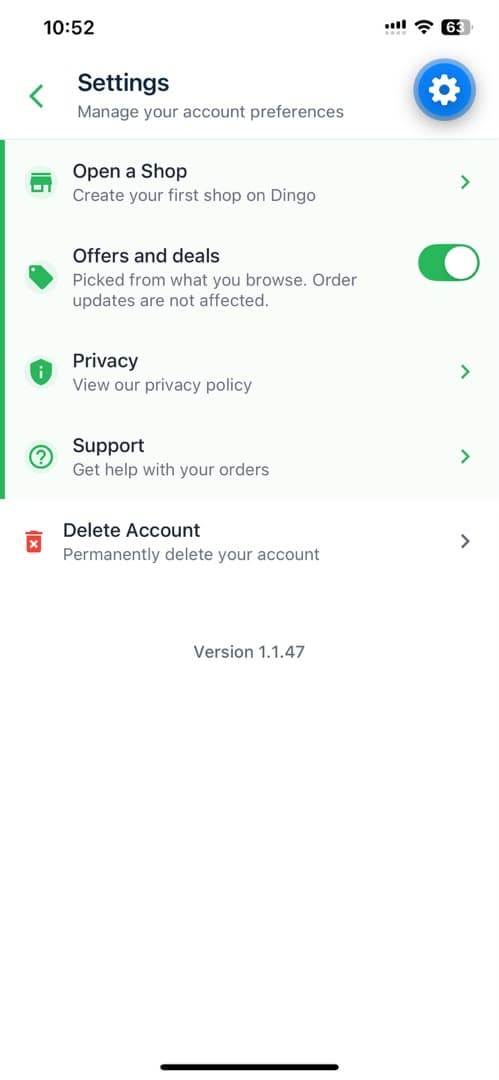
Tap Delete Account
On the Settings screen, tap the last row, Delete Account — the one with the red trash icon and the note “Permanently delete your account”.
- 3
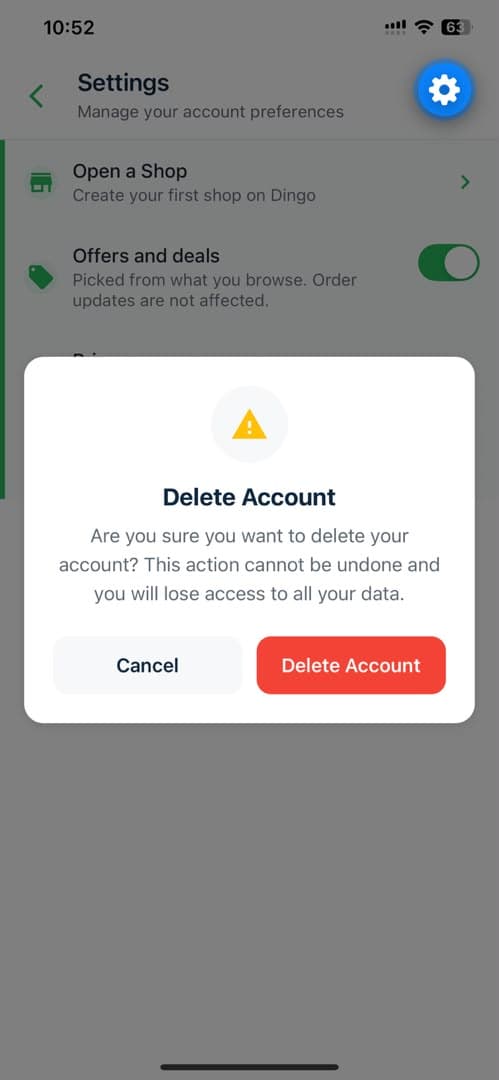
Confirm the deletion
Dingo asks you to confirm: “Are you sure you want to delete your account? This action cannot be undone and you will lose access to all your data.” Tap Delete Account to send the request, or Cancel to leave your account untouched.
What happens after you confirm
Deleting your account is a request, not an instant wipe. Here is the full sequence.
- 1
Your request is recorded
The moment you tap Delete Account in the confirmation dialog, your account deletion request is submitted from inside the app.
- 2
The 30-day period passes
We keep your account for 30 days from the date of your request. You can still sign in during this time.
- 3
Your account is deleted
After the 30 days, your Dingo account and the data associated with it are permanently deleted and cannot be restored.
This cannot be undone
Once your account is deleted you lose access to it and to all the data associated with it, and it cannot be restored. Please make sure you have everything you need before you confirm.
Need help deleting your account?
If you cannot sign in to the Dingo app, or you would rather we handle it for you, email hello@brandafro.com from the email address on your Dingo account and we will process the deletion request for you.